Tiptap Rich Text Editor — Content Types & Use Cases
Package:
@vicacha-devs/strapi-plugin-tiptap-editor· Plugin ID:tiptap-editor· Admin Workspace:/admin/plugins/tiptap-editor
1. Content-Type Entities, Locations & Schemas (strapi.documents)
Section titled “1. Content-Type Entities, Locations & Schemas (strapi.documents)”Registers the plugin::tiptap-editor.RichText custom field in Content-Type Builder & Content Manager alongside Strapi core-store runtime settings (settings), optional links.links internal reference sync, and companion <FieldName>Media relational media tracking.
Where to Find Content-Type Entities in Strapi v5
Section titled “Where to Find Content-Type Entities in Strapi v5”- Content Manager Rich-Text Fields:
/admin/content-manager(any Collection Type or Single Type field configured with custom fieldplugin::tiptap-editor.RichText) - Content-Type Builder Preset Selector:
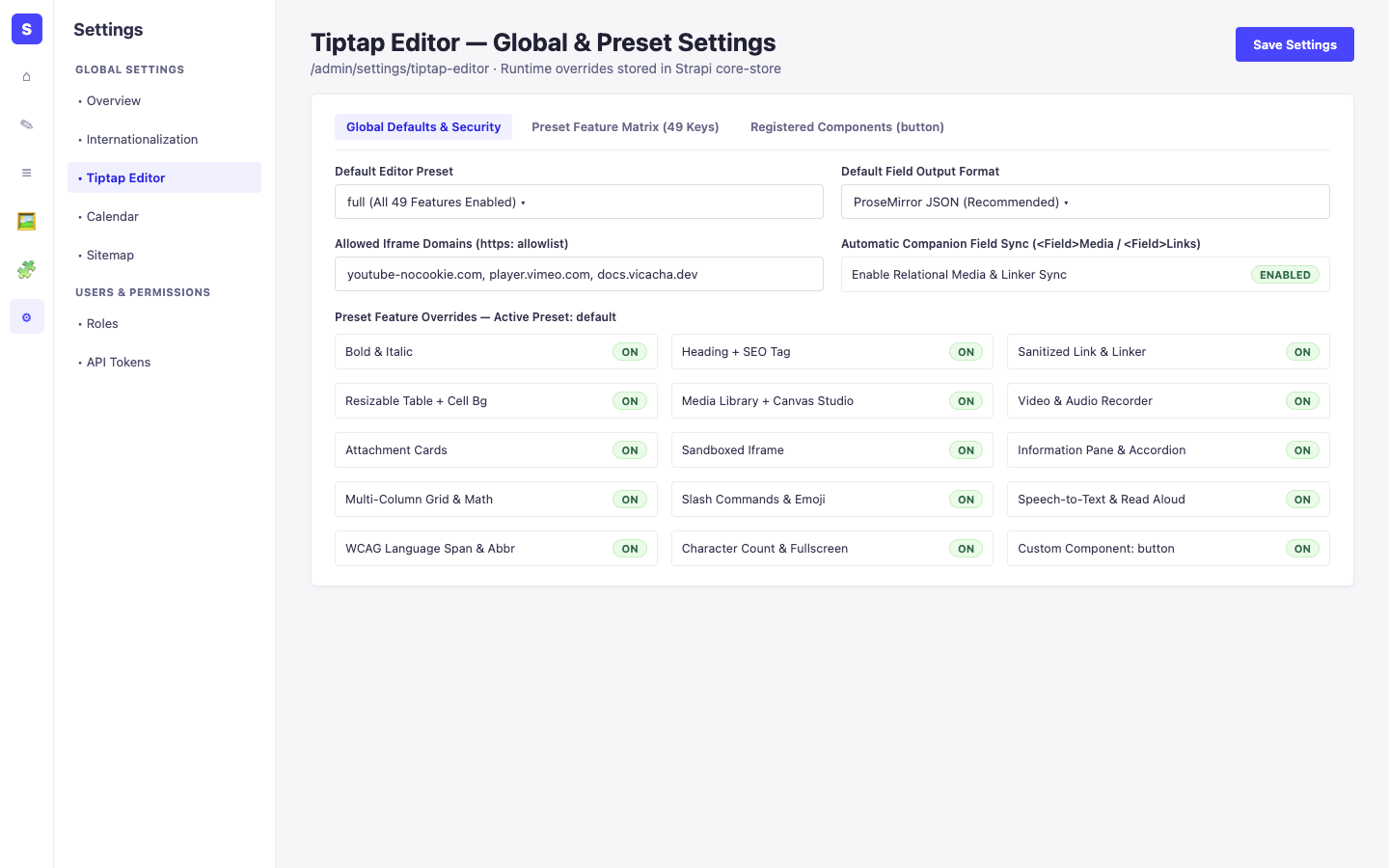
/admin/plugins/content-type-builder(PresetSelect, output formatjson | html | markdown, character limit, and placeholder options) - Global Settings Panel:
/admin/settings/tiptap-editor(Settings -> Global Settings -> Tiptap Editor— runtime preset overrides, iframe domain allowlist, and relational sync)
This plugin operates dynamically across existing Strapi api::* and plugin::* Content-Type entities without creating separate collection tables.
Strapi v5 Content Manager Integration (/admin/content-manager)
Section titled “Strapi v5 Content Manager Integration (/admin/content-manager)”Content Manager Sidebar Group:
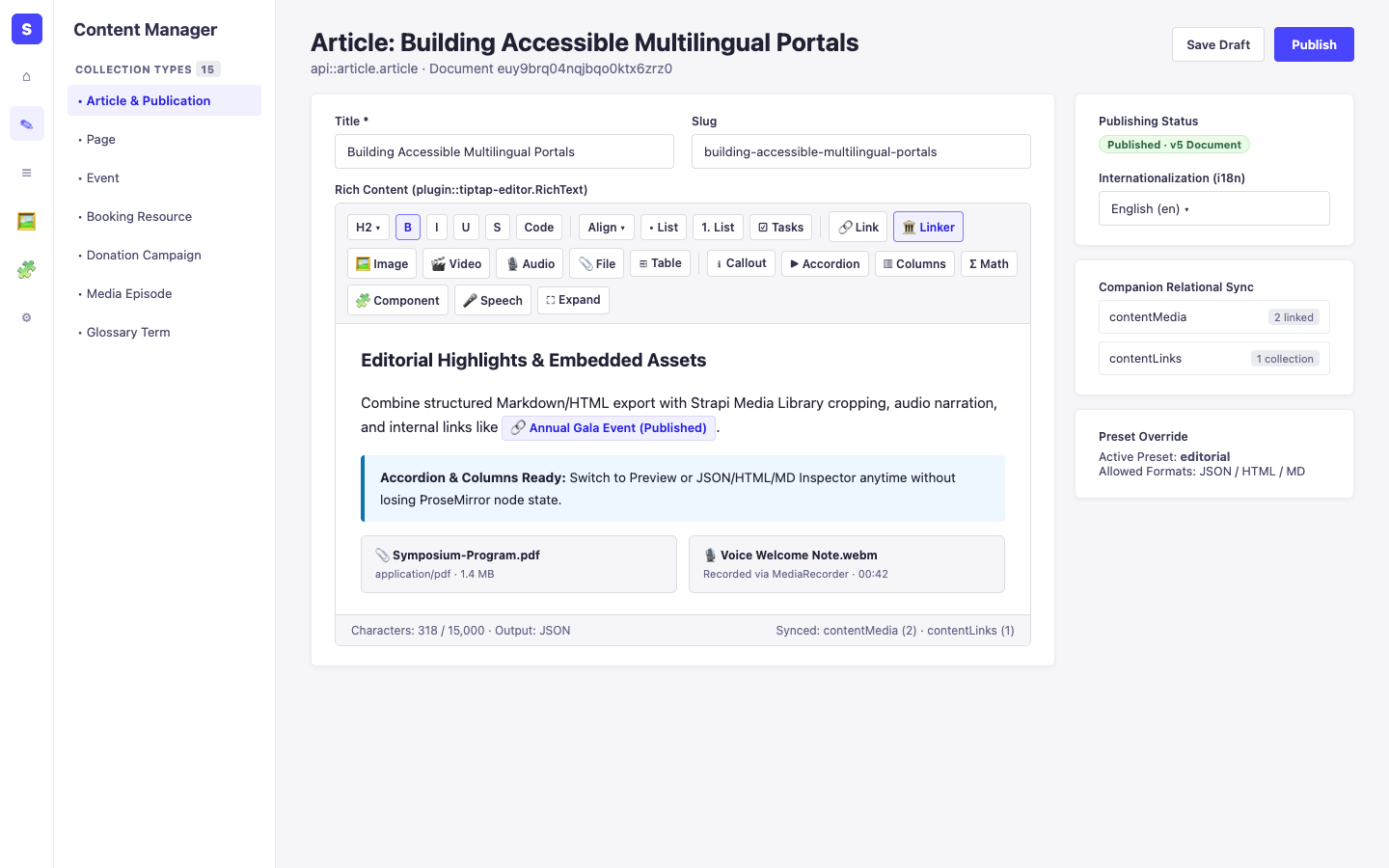
Operates Inside Every Content Manager Entry Using plugin::tiptap-editor.RichText
Content Manager Entities & Components
Section titled “Content Manager Entities & Components”- Custom Field
plugin::tiptap-editor.RichText(attached toapi::article.article,api::page.page, or any Collection/Single Type in/admin/content-manager) - Companion
<FieldName>Media&<FieldName>Linksfields automatically synchronized on edit (enableRelationalSync) - Settings Store
plugin::tiptap-editor.settings(core-storemanaged via/admin/settings/tiptap-editor)
Why This Plugin Creates & Integrates Content Manager Entities
Section titled “Why This Plugin Creates & Integrates Content Manager Entities”@vicacha-devs/strapi-plugin-tiptap-editor delivers a WCAG 2.1 AA WYSIWYG editing workspace directly inside Strapi v5 Content Manager edit views via custom field plugin::tiptap-editor.RichText without creating intrusive standalone tables:
- Hybrid Code + Runtime Presets: Fields inherit code-first presets (
minimal,default,full,edifice, or customconfig/plugins.tspresets) and respect live overrides saved at/admin/settings/tiptap-editor. - Automatic Relational Media & Document Linker Sync:
useRelationalSyncextracts embedded Media Library assets (<FieldName>Media) and internallinkerdocument references (<FieldName>Links) as editors type. - Zero-Data-Loss Fallback: Disabling an extension renders existing nodes read-only rather than dropping structured content on publish.
How to Use in Strapi Content Manager (Step-by-Step)
Section titled “How to Use in Strapi Content Manager (Step-by-Step)”- Add the Custom Field in Content-Type Builder: Open
/admin/plugins/content-type-builder, add custom field Rich Text (Tiptap) (plugin::tiptap-editor.RichText), and pick a preset and output format (json,html, ormarkdown). - Edit Content in Content Manager: Open
/admin/content-managerfor the entry, format text using the roving toolbar,/slash menu, HTML5 Canvas image studio, voice recorder, or custom components, and click Publish. - Review Global Overrides: Visit
/admin/settings/tiptap-editor(Settings -> Global Settings -> Tiptap Editor) to tune allowed iframe domains and runtime feature toggles.
Content Manager & Plugin Workspace Synchronization
Section titled “Content Manager & Plugin Workspace Synchronization”Content Manager Use Cases & Editorial Workflows
Section titled “Content Manager Use Cases & Editorial Workflows”Content Manager Use Case 1 — Authoring Accessible Multilingual Rich Content & Linked Assets
Section titled “Content Manager Use Case 1 — Authoring Accessible Multilingual Rich Content & Linked Assets”- Why & What it is for: Compose localized articles in
/admin/content-managerwith WCAGlanguagespans (dir='rtl'|'ltr'), semantic headings, internal document links, cropped images, and automatic relational asset tracking. - How to use in Content Manager: Open an entry in
/admin/content-manager, switch locale via i18n, insert media/links/blocks in theRichTextfield, verify the inspector preview (JSON/HTML/Markdown), and click Publish.
3. End-to-End Use Cases & Workflows
Section titled “3. End-to-End Use Cases & Workflows”Use Case 1 — Configuring Preset-Driven Rich-Text Fields & Output Formats (json, html, markdown)
Section titled “Use Case 1 — Configuring Preset-Driven Rich-Text Fields & Output Formats (json, html, markdown)”- What it is for: Bind fields on
api::article.articleorapi::page.pageto tailored TipTap presets (minimal,default,full,edifice, or custom presets inconfig/plugins.ts) with strict DOMPurify + URL sanitization. - How it works: Assign custom field
plugin::tiptap-editor.RichTextin Content-Type Builder (orfieldBindingsin config), choose preset & output format, and edit richly in/admin/content-manager.
Use Case 2 — Schema-Driven Custom Components, Multimedia Studio & Slash Commands
Section titled “Use Case 2 — Schema-Driven Custom Components, Multimedia Studio & Slash Commands”- What it is for: Let editors insert
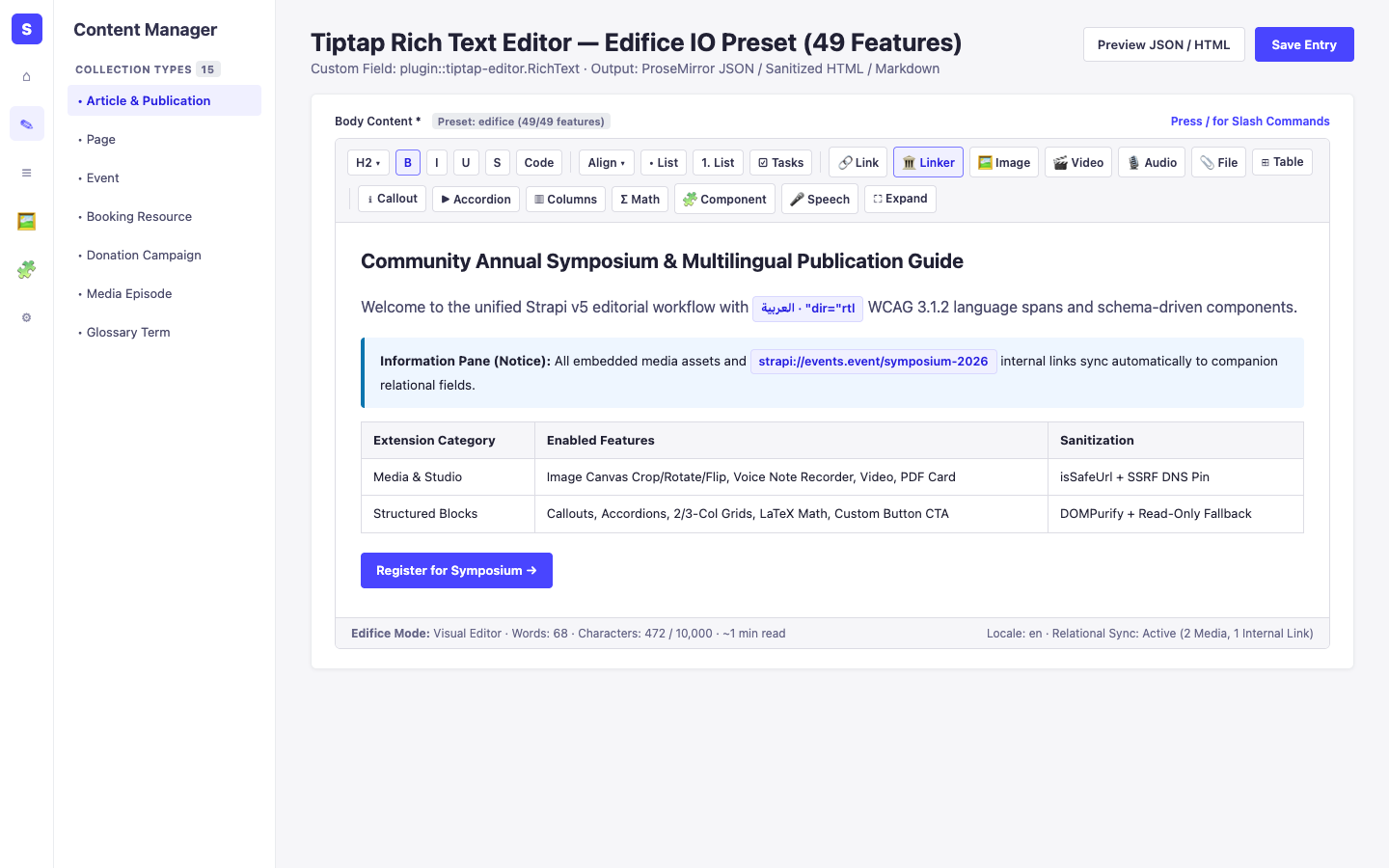
buttonCTA atoms, callouts (informationPane), accordions, multi-column grids, LaTeX math, HTML5 Canvas-cropped images, voice recordings, and/slash commands cleanly. - How it works: Register reusable components via
registerRichTextComponent()or use built-in Edifice IO blocks inside/admin/content-managerwith zero-data-loss fallback for unknown nodes.
Use Case 3 — Runtime Governance, Allowed Iframe Domains & SSRF-Safe Media Ingestion
Section titled “Use Case 3 — Runtime Governance, Allowed Iframe Domains & SSRF-Safe Media Ingestion”- What it is for: Manage global editor defaults, trusted iframe host allowlists, per-preset overrides (
PUT /tiptap-editor/settings), link previews (GET /tiptap-editor/link-preview), and remote uploads (POST /tiptap-editor/upload-by-url) safely. - How it works: Open
/admin/settings/tiptap-editorto toggle runtime overrides and configureallowedIframeDomains; remote URL lookups enforce DNS-pinned SSRF checks (isSsrfSafeUrl).