SEO & SERP Analyzer — Content Types & Use Cases
Package:
@vicacha-devs/strapi-plugin-seo· Plugin ID:seo· Admin Workspace:/admin/plugins/seo
1. Content-Type Entities, Locations & Schemas (strapi.documents)
Section titled “1. Content-Type Entities, Locations & Schemas (strapi.documents)”Registers and manages two shared Strapi Components (shared.seo and shared.open-graph) inside the Content-Type Builder and injects a live Google SERP, OpenGraph/X Social Card, and Keyword Density Analyzer into the Content Manager edit view for any api::* Collection Type or Single Type that includes shared.seo.
Where to Find Content-Type Entities in Strapi v5
Section titled “Where to Find Content-Type Entities in Strapi v5”- Content-Type Builder (Components):
/admin/plugins/content-type-builderunder COMPONENTS -> Shared (seo->components_shared_seos,openGraph->components_shared_open_graphs) - Content Manager Edit View: Open any Collection Type or Single Type with the
seocomponent attached (e.g.,/admin/content-manager/single-types/api::about-page.about-page) - Plugin Workspace & Settings:
/admin/plugins/seo(Content-Type SEO Coverage Audit & 1-Click Component Attachment) and/admin/settings/seo
shared.open-graph — Component: openGraph
Section titled “shared.open-graph — Component: openGraph”Shared Strapi component (shared.open-graph) managed in Content-Type Builder and Content Manager
Kind:
component· DB Table:components_shared_open_graphs· Admin Location:/admin/plugins/content-type-builder(Component) · Draft & Publish:No· i18n:Yes
| Attribute | Strapi Type | Required | Constraints / Target |
|---|---|---|---|
ogTitle |
string |
Yes | max: 70 |
ogDescription |
string |
Yes | max: 200 |
ogImage |
media |
No | — |
ogUrl |
string |
No | — |
ogType |
string |
No | — |
shared.seo — Component: seo
Section titled “shared.seo — Component: seo”Shared Strapi component (shared.seo) managed in Content-Type Builder and Content Manager
Kind:
component· DB Table:components_shared_seos· Admin Location:/admin/plugins/content-type-builder(Component) · Draft & Publish:No· i18n:Yes
| Attribute | Strapi Type | Required | Constraints / Target |
|---|---|---|---|
metaTitle |
string |
Yes | max: 60 |
metaDescription |
string |
Yes | max: 160 |
metaImage |
media |
No | — |
openGraph |
component |
No | component: shared.open-graph |
keywords |
text |
No | — |
metaRobots |
string |
No | — |
metaViewport |
string |
No | — |
canonicalURL |
string |
No | — |
structuredData |
json |
No | — |
Strapi v5 Content Manager Integration (/admin/content-manager)
Section titled “Strapi v5 Content Manager Integration (/admin/content-manager)”Content Manager Sidebar Group:
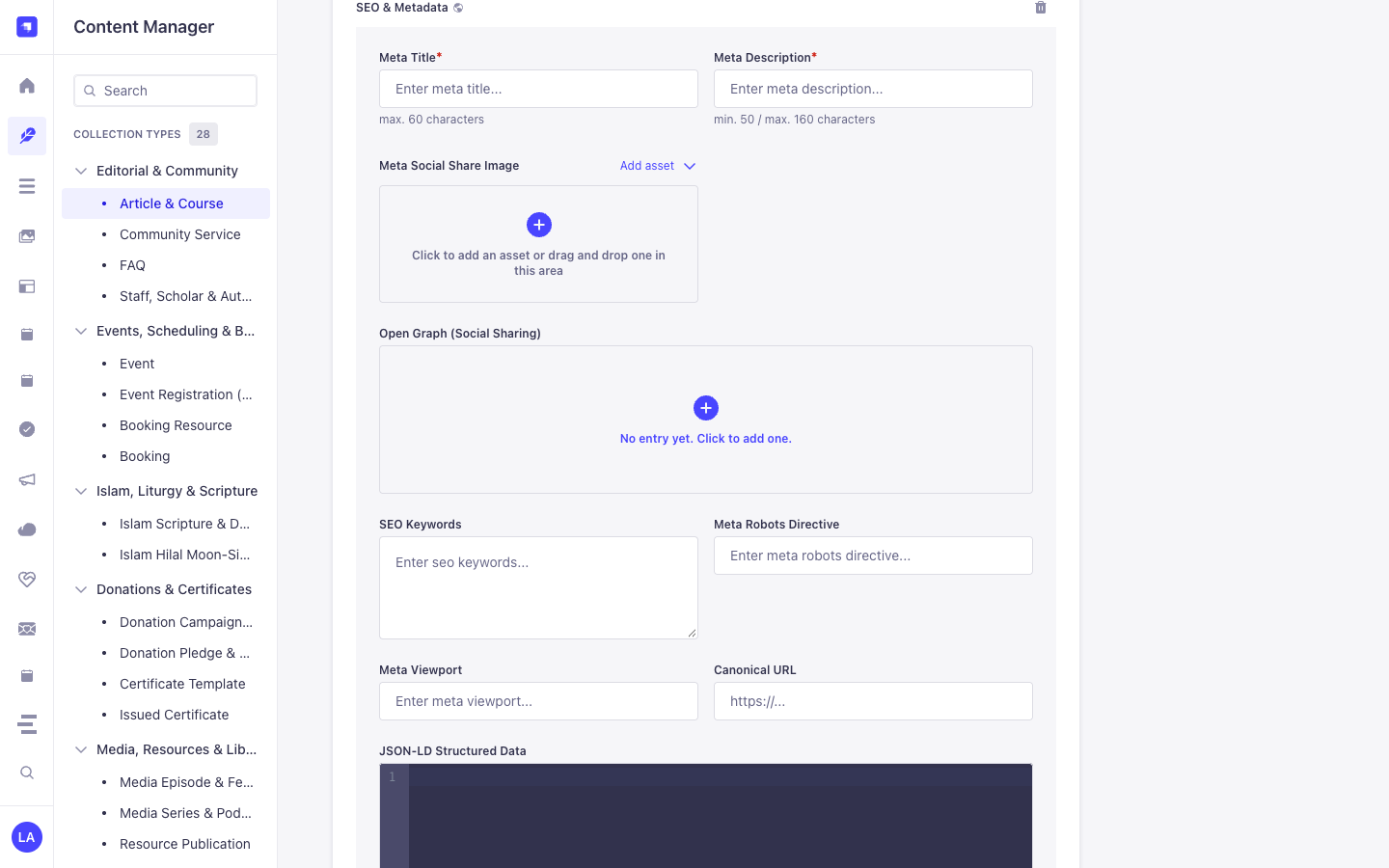
Components (shared.seo— **SEO & Metadata** &shared.open-graph— **Open Graph (Social Sharing)**) inside Content Manager Edit Views
Content Manager Entities & Components
Section titled “Content Manager Entities & Components”- Component
shared.seo(SEO & Metadata attached toapi::article.articleand other Collection/Single Types in Content Manager) - Component
shared.open-graph(Open Graph (Social Sharing) nested insideSEO & Metadata)
Why This Plugin Creates & Integrates Content Manager Entities
Section titled “Why This Plugin Creates & Integrates Content Manager Entities”@vicacha-devs/strapi-plugin-seo registers the reusable shared.seo (SEO & Metadata) and shared.open-graph (Open Graph (Social Sharing)) Strapi Components so every Collection Type (api::article.article, api::page.page) and Single Type in the Strapi v5 Content Manager includes a complete, localized SEO & structured-data panel alongside a live SEO Audit sidebar:
- Native Localization & Draft Support via
SEO & Metadata(shared.seo): Becauseshared.seois embedded directly inside Content Manager entries,Meta Title*(metaTitle, max. 60 chars),Meta Description*(metaDescription, 50–160 chars),Meta Social Share Image(metaImage),SEO Keywords(keywords),Meta Robots Directive(metaRobots),Meta Viewport(metaViewport),Canonical URL(canonicalURL), andJSON-LD Structured Data(structuredData) automatically inherit each document’si18nlocale (en,es,ar,tr) and Draft/Publish state. - Nested Open Graph Social Card Component (
shared.open-graph): Expand Open Graph (Social Sharing) insideSEO & Metadatato customizeogTitle,ogDescription,ogImage,ogUrl, andogTypeper locale.
How to Use in Strapi Content Manager (Step-by-Step)
Section titled “How to Use in Strapi Content Manager (Step-by-Step)”- Attach
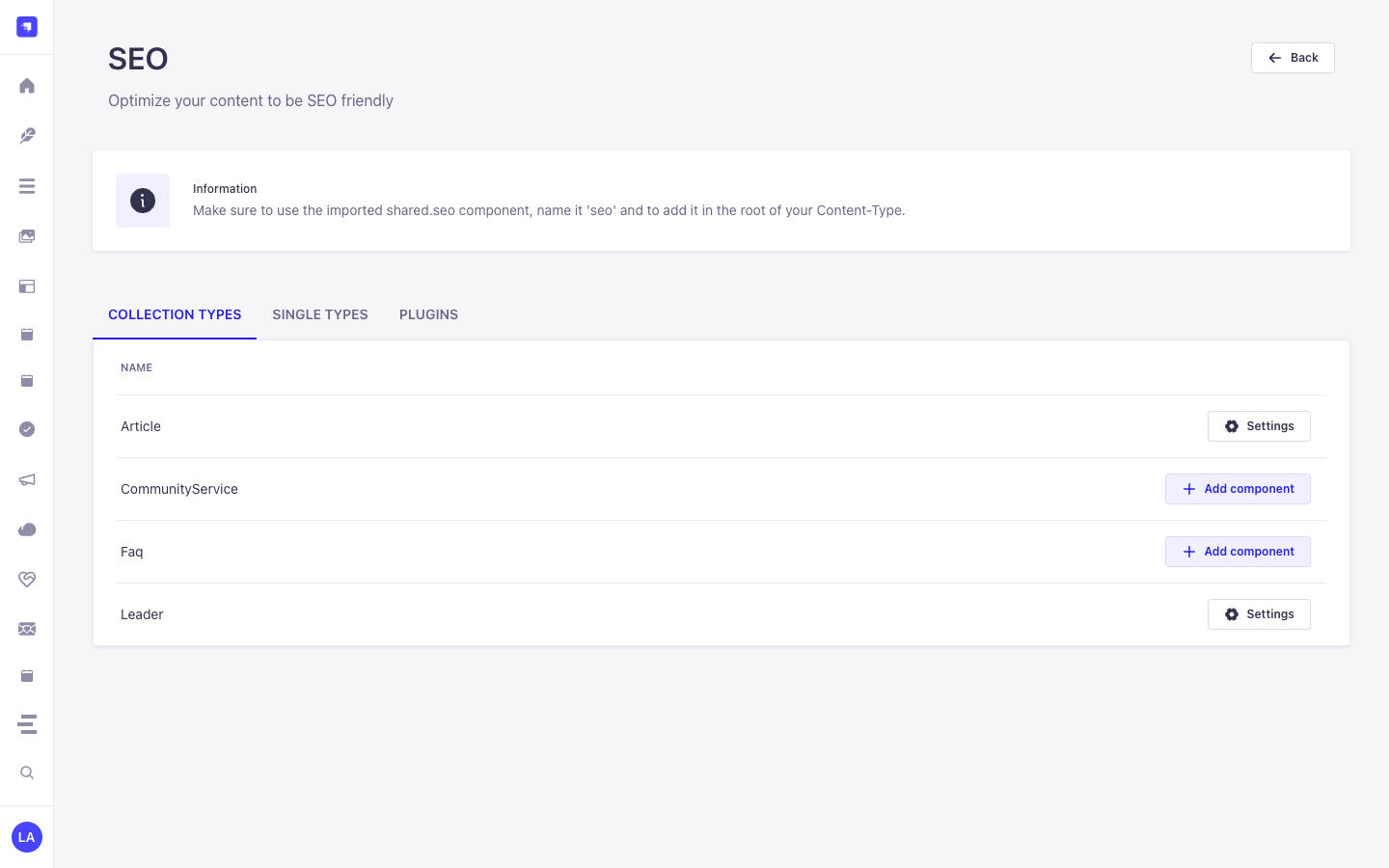
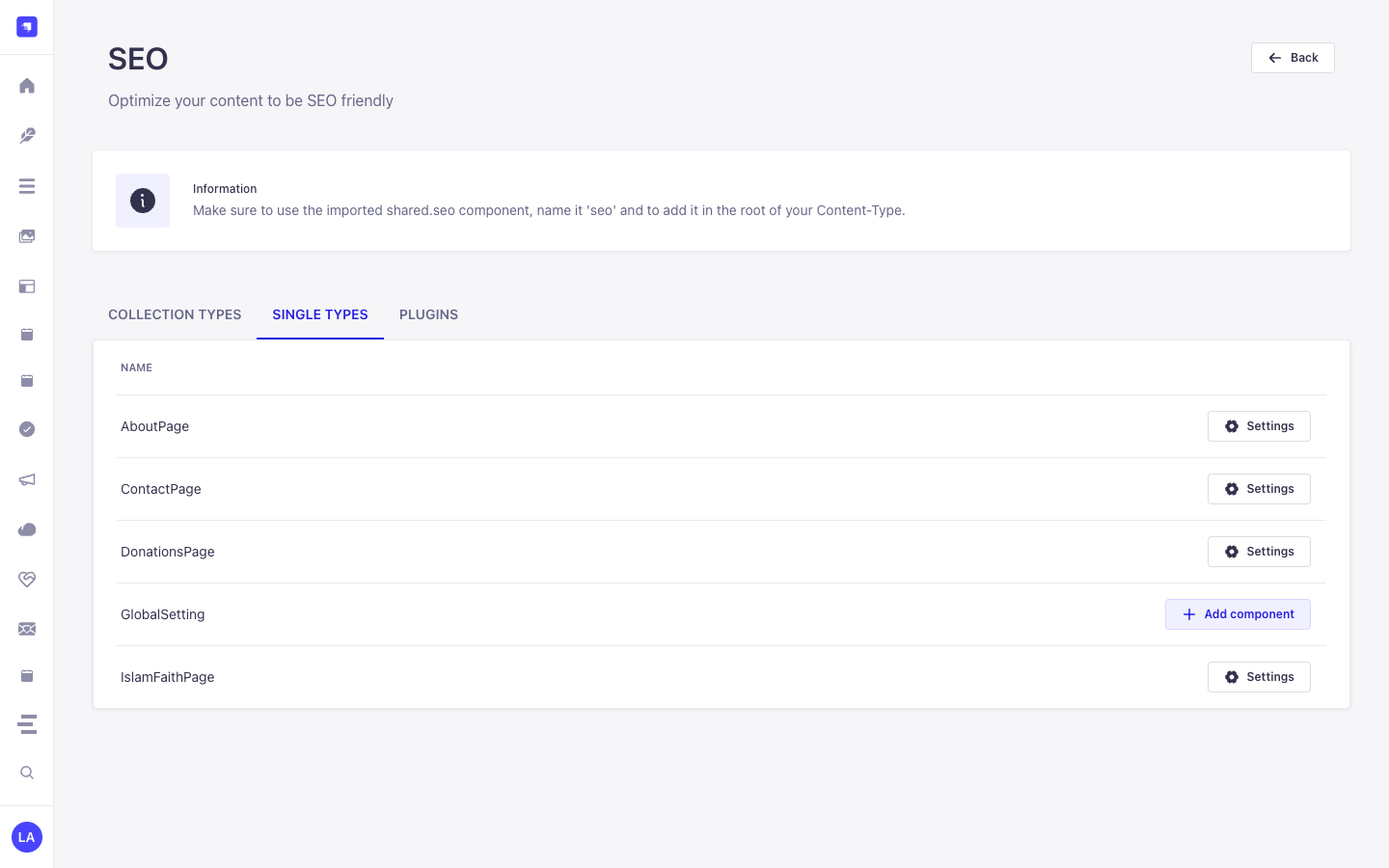
shared.seoin/admin/seo: Enable theseocomponent on your target Collection Types and Single Types in/admin/seo(or automatically on bootstrap). - Open Any Entry in Content Manager & Expand
SEO & Metadata: Navigate to/admin/content-manager/collection-types/api::article.article/{documentId}and scroll down to the SEO & Metadata (shared.seo) component panel (click+if no entry has been initialized yet). - Populate Meta, Open Graph & JSON-LD Fields: Fill in
Meta Title*(max. 60 characters),Meta Description*(min. 50 / max. 160 characters), uploadMeta Social Share Image, optionally expandOpen Graph (Social Sharing), configureSEO Keywords,Meta Robots Directive(e.g.index, follow),Meta Viewport(e.g.width=device-width, initial-scale=1),Canonical URL, and paste valid Schema.org JSON intoJSON-LD Structured Data.
Content Manager & Plugin Workspace Synchronization
Section titled “Content Manager & Plugin Workspace Synchronization”Content Manager Use Cases & Editorial Workflows
Section titled “Content Manager Use Cases & Editorial Workflows”Content Manager Use Case 1 — Authoring Localized SEO & Metadata, Open Graph Cards & JSON-LD Structured Data
Section titled “Content Manager Use Case 1 — Authoring Localized SEO & Metadata, Open Graph Cards & JSON-LD Structured Data”- Why & What it is for: Configure per-locale
Meta Title*,Meta Description*,Canonical URL, andJSON-LD Structured Data(structuredData) directly inside an Article (api::article.article) in Content Manager. - How to use in Content Manager: Open
/admin/content-manager/collection-types/api::article.article/{documentId}?plugins[i18n][locale]=en, expand SEO & Metadata, complete the required meta title (<= 60 chars) and meta description (50–160 chars), add your JSON-LD block, and click Publish.
3. End-to-End Use Cases & Workflows
Section titled “3. End-to-End Use Cases & Workflows”Use Case 1 — 1-Click shared.seo Component Bootstrap Across Content Types
Section titled “Use Case 1 — 1-Click shared.seo Component Bootstrap Across Content Types”- What it is for: Automatically create the
shared.seoandshared.open-graphcomponents and attach them to Articles, Pages, Events, or Courses without manual field setup. - How it works: On bootstrap (when
autoCreateComponent: true) or via/admin/plugins/seo(POST /seo/component), the plugin registersshared.seoand attaches it to selectedapi::*schemas.
Use Case 2 — Live Google SERP, Social Card Preview & Keyword Density Scoring
Section titled “Use Case 2 — Live Google SERP, Social Card Preview & Keyword Density Scoring”- What it is for: Give editors real-time feedback on
metaTitle(<= 60 chars),metaDescription(50–160 chars),canonicalURL,metaRobots, and focus keyword density while editing. - How it works: Edit the
seocomponent inside any Content Manager entry to preview desktop/mobile Google SERP snippets and OpenGraph social cards.
Use Case 3 — Authoring SEO & Metadata (Meta Title, Meta Description, Open Graph, Canonical URL & JSON-LD Structured Data) in Content Manager
Section titled “Use Case 3 — Authoring SEO & Metadata (Meta Title, Meta Description, Open Graph, Canonical URL & JSON-LD Structured Data) in Content Manager”- What it is for: Configure localized meta titles (
max. 60 characters), meta descriptions (50–160 characters), Open Graph social cards, robots/viewport directives, canonical URLs, and Schema.org JSON-LD (Article,Event,FAQPage,Organization) directly inside the Content Manager edit view. - How it works: Expand SEO & Metadata (
shared.seo) on any entry in/admin/content-manager, populateMeta Title*(metaTitle),Meta Description*(metaDescription),Meta Social Share Image(metaImage),Open Graph (Social Sharing)(openGraph),SEO Keywords(keywords),Meta Robots Directive(metaRobots),Meta Viewport(metaViewport),Canonical URL(canonicalURL), andJSON-LD Structured Data(structuredData), and query via?populate[seo][populate]=*.