Editorial Notes & Pins (@vicacha-devs/strapi-plugin-notes)
A Strapi v5 plugin (forked and modernized from strapi-community/strapi-plugin-notes) that enables editorial teams to attach rich, categorized, and pinned notes to any Content Manager entry and browse all notes from a centralized Admin Hub.
Key Features
Section titled “Key Features”- Note Modal Meta Information (Issue #18):
- Displays a Strapi Audit Logs-style 2×2 metadata panel (
Created At,Created By,Updated At,Updated By) insideNoteModalwhen viewing or editing an existing note. - Automatically tracks
createdByandupdatedByon the server fromctx.state.user, with safe fallback display names if an admin user is later removed and strict PII sanitization.
- Displays a Strapi Audit Logs-style 2×2 metadata panel (
- Pinned & Color/Category Badges:
- Pin critical notes so they stay at the top of the Content Manager side panel (
isPinned DESC, createdAt DESC). - Classify notes with color-coded category badges (
General,Todo,Blocker,Idea).
- Pin critical notes so they stay at the top of the Content Manager side panel (
- Strapi v5 Document & Locale Scoping:
- Binds notes to Strapi v5’s stable
documentId(entityDocumentId) alongside legacyentityIdandentitySlug, ensuring notes remain attached across Draft/Publish cycles. - Optional per-locale scoping (
entityLocale) so editors can attach notes either to all locales of a document or to the currently active i18n locale.
- Binds notes to Strapi v5’s stable
- Content Manager Side Panel UX Polish:
- Quick search & category filtering inside the Content Manager side panel.
- Compact author and date subtitle on each note item.
- Delete confirmation dialog to prevent accidental one-click note deletion.
- Global Notes Hub:
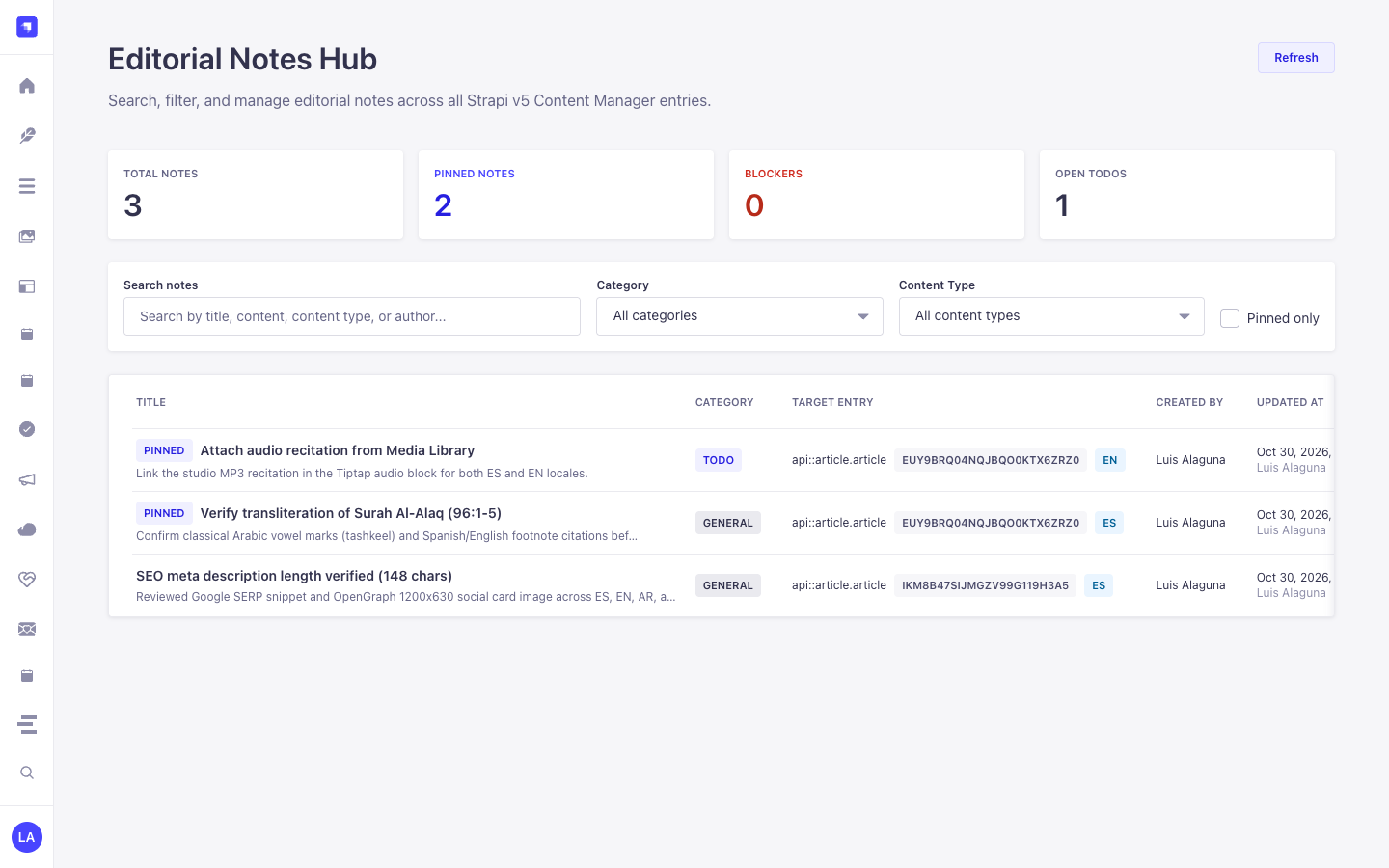
- Dedicated Notes page in the Strapi Admin navigation with KPI summary cards, search/filter controls across content types, categories, and pinned status, plus one-click deep links straight into the target Content Manager entry.
Quick Installation & Configuration
Section titled “Quick Installation & Configuration”pnpm add @vicacha-devs/strapi-plugin-notesEnable the plugin in config/plugins.ts:
export default () => ({ "notes": { enabled: true, },});Content-Type Entities & Where to Find Them
Section titled “Content-Type Entities & Where to Find Them”Registers one internal polymorphic Collection Type (plugin::notes.note, content-manager.visible: false) that attaches editorial annotations to any Strapi Content Manager document via entitySlug (e.g., api::article.article), entityDocumentId, and entityLocale.
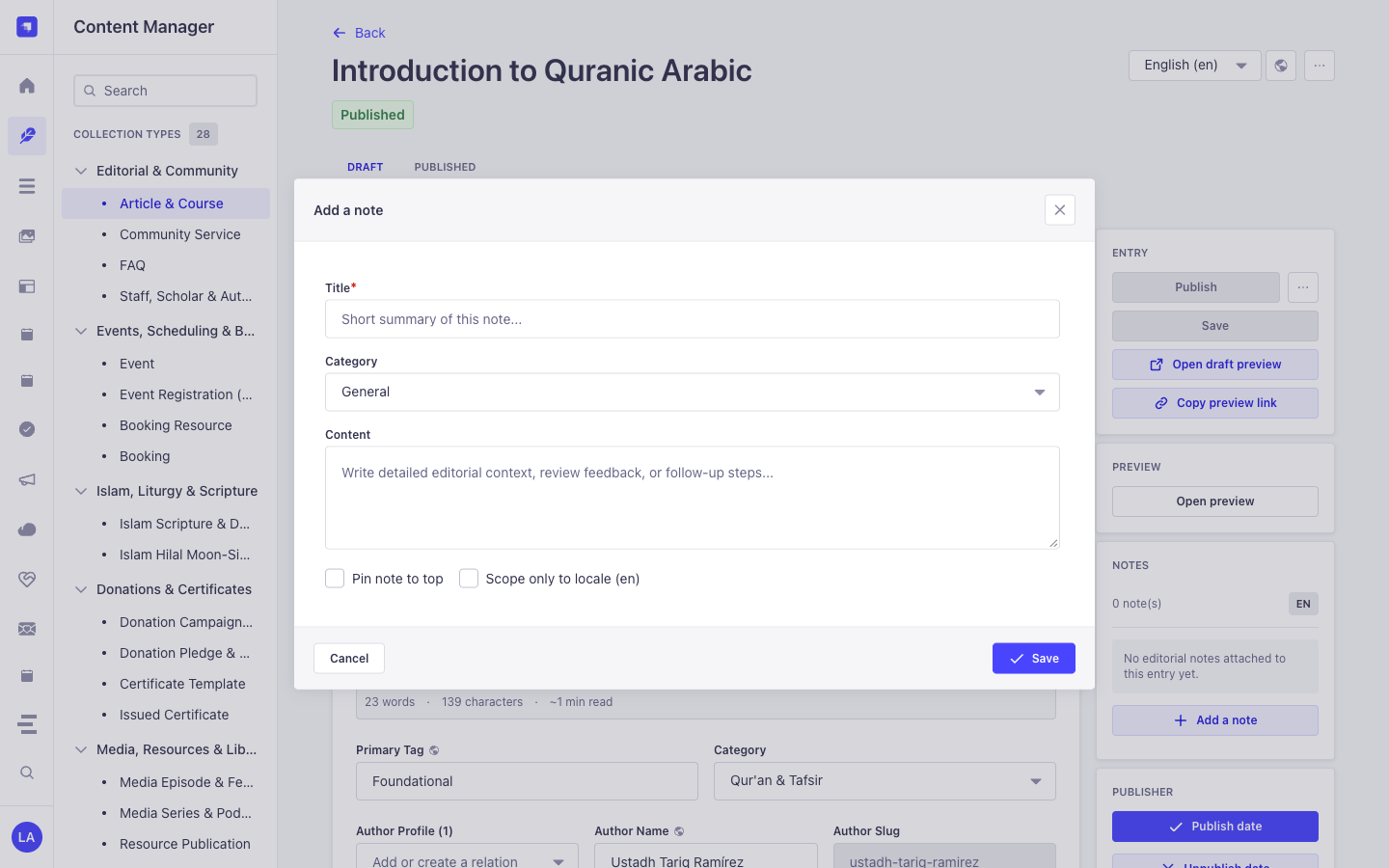
- Content Manager Right Side Panel: Open any document in
/admin/content-manager/collection-types/...orsingle-types/...to view, create, and pin notes scoped to that document and locale - Global Notes Hub Workspace:
/admin/plugins/notes(centralized search, category filter, and pin board across all Content-Type entities) - Database Table:
notes(plugin::notes.notequeried viastrapi.documents('plugin::notes.note'))
Strapi v5 Content Manager Integration (/admin/content-manager)
Section titled “Strapi v5 Content Manager Integration (/admin/content-manager)”Content Manager Sidebar Group:
Injected into All Content Manager Collection Types & Single Types (Right Sidebar)
Content Manager Entities & Components
Section titled “Content Manager Entities & Components”- Right-Sidebar Notes (
NOTES) Panel injected into every/admin/content-manager/collection-types/*and/admin/content-manager/single-types/*edit view - Internal Polymorphic Entity
plugin::notes.note(notestable, managed via Content Manager side panel &/admin/plugins/notes)
Why This Plugin Creates & Integrates Content Manager Entities
Section titled “Why This Plugin Creates & Integrates Content Manager Entities”@vicacha-devs/strapi-plugin-notes is purpose-built for the Strapi v5 Content Manager: it injects an interactive Notes panel directly into the right sidebar of every document edit view while keeping plugin::notes.note (content-manager.visible: false) out of the collection list to avoid cluttering the left sidebar:
- Works on Every
api::*andplugin::*Content Manager Entity: Attachgeneral,todo,blocker, orideanotes to anArticle & Course,Event,Donation Campaign,Islam Scripture Entry, orResource Publicationdirectly inside Content Manager. - Per-Locale (
Scope only to locale) or Cross-Locale Pinning: Scope a translation note specifically toen,es,ar, ortr, and pin critical blockers (Pin note to top) so editors see them immediately upon opening the entry.
How to Use in Strapi Content Manager (Step-by-Step)
Section titled “How to Use in Strapi Content Manager (Step-by-Step)”- Open Any Entry in Content Manager: Open any document in
/admin/content-manager/collection-types/...or/admin/content-manager/single-types/.... - Click
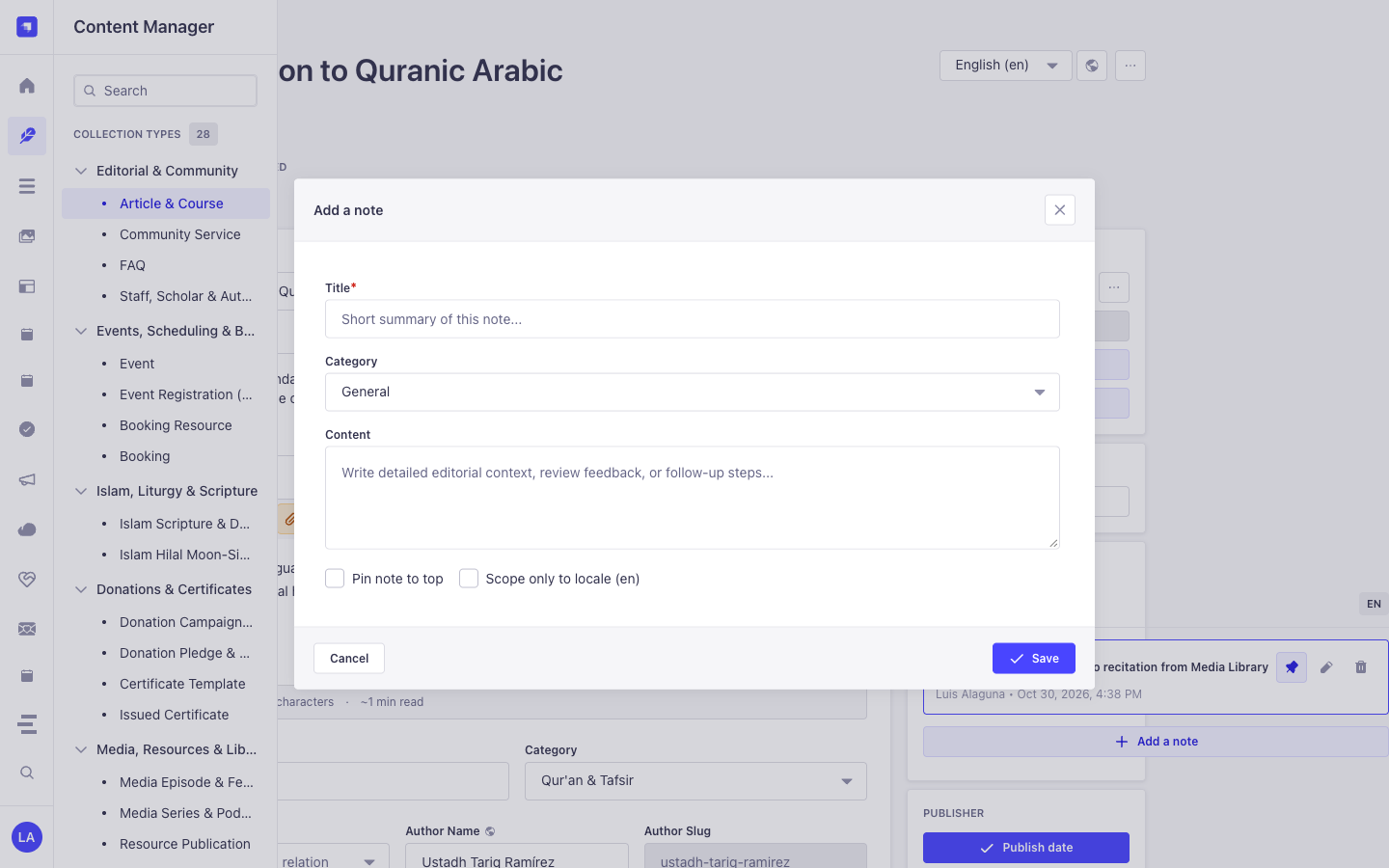
+ Add a note: In the right-hand sidebar under NOTES, click the button to open the note modal. - Set Category, Pin & Locale Scope: Enter
Title, selectCategory(General,To-Do,Blocker,Idea), write theContent, optionally checkPin note to toporScope only to locale, and click Save. - Triage Across All Entities: Visit
/admin/plugins/notes(Global Notes Hub) to filter all notes across the entire CMS and click any card to jump back into Content Manager.
Content Manager & Plugin Workspace Synchronization
Section titled “Content Manager & Plugin Workspace Synchronization”Content Manager Use Cases & Editorial Workflows
Section titled “Content Manager Use Cases & Editorial Workflows”Content Manager Use Case 1 — Attaching Locale-Scoped Translation & Scholar Review Notes
Section titled “Content Manager Use Case 1 — Attaching Locale-Scoped Translation & Scholar Review Notes”- Why & What it is for: Leave a
blockerortodoreview note on a course or scripture entry directly inside the Content Manager edit screen. - How to use in Content Manager: Open
/admin/content-manager/collection-types/api::article.article/{documentId}?plugins[i18n][locale]=en, click + Add a note in the right sidebar, checkScope only to locale (en), and save.
End-to-End Use Cases & Workflows
Section titled “End-to-End Use Cases & Workflows”Use Case 1 — In-Context Editorial Review & Translation Handoff Notes
Section titled “Use Case 1 — In-Context Editorial Review & Translation Handoff Notes”- What it is for: Leave
todo,blocker,idea, orgeneralnotes directly on a draft Article, Event, or Donation Campaign for fellow editors and translators. - How it works: Open the record in Content Manager; the injected side panel queries
GET /notes/entity?entitySlug=...&entityDocumentId=...&entityLocale=...and creates notes viaPOST /notes.
Use Case 2 — Pinning Critical Editorial Blockers to the Top of a Document
Section titled “Use Case 2 — Pinning Critical Editorial Blockers to the Top of a Document”- What it is for: Ensure legal, theological, or fact-checking warnings stay pinned (
isPinned: true) at the top of a Content Manager entry. - How it works: Toggle pin status in the Content Manager side panel (
PUT /notes/{id}), surfacing the note both on the document and in the Global Notes Hub.
Use Case 3 — Cross-Collection Editorial Triage in the Global Notes Hub
Section titled “Use Case 3 — Cross-Collection Editorial Triage in the Global Notes Hub”- What it is for: Review all unresolved
blockerandtodoannotations across every collection type from a single dashboard. - How it works: Navigate to
/admin/plugins/notesto filterplugin::notes.noterecords bycategory,isPinned,entitySlug, or keyword and jump straight to the target document.
Admin Workspace, Content Manager & Settings Panel Preview
Section titled “Admin Workspace, Content Manager & Settings Panel Preview”
Strapi v5 Content Manager Entities (/admin/content-manager)
Section titled “Strapi v5 Content Manager Entities (/admin/content-manager)”
Settings Panel (Settings -> Configuration)
Section titled “Settings Panel (Settings -> Configuration)”
Explore Content Types & Use Cases, the Developer Guide & Admin UI Tour, and the Interactive OpenAPI Reference for complete schema, workflow diagram, and endpoint documentation.