Tiptap Zengin Metin Düzenleyicisi (@vicacha-devs/strapi-plugin-tiptap-editor)
Package:
@vicacha-devs/strapi-plugin-tiptap-editor· Plugin ID:tiptap-editor· Category:Editorial & SEO· Version:1.3.2· Routes:10
49 yapılandırılabilir özellik, şema tabanlı özel bileşenler, HTML5 Canvas görsel stüdyosu, ses kaydedici ve DOMPurify + SSRF korumasıyla TipTap v3 + Edifice IO zengin metin düzenleyicisi.
pnpm add @vicacha-devs/strapi-plugin-tiptap-editor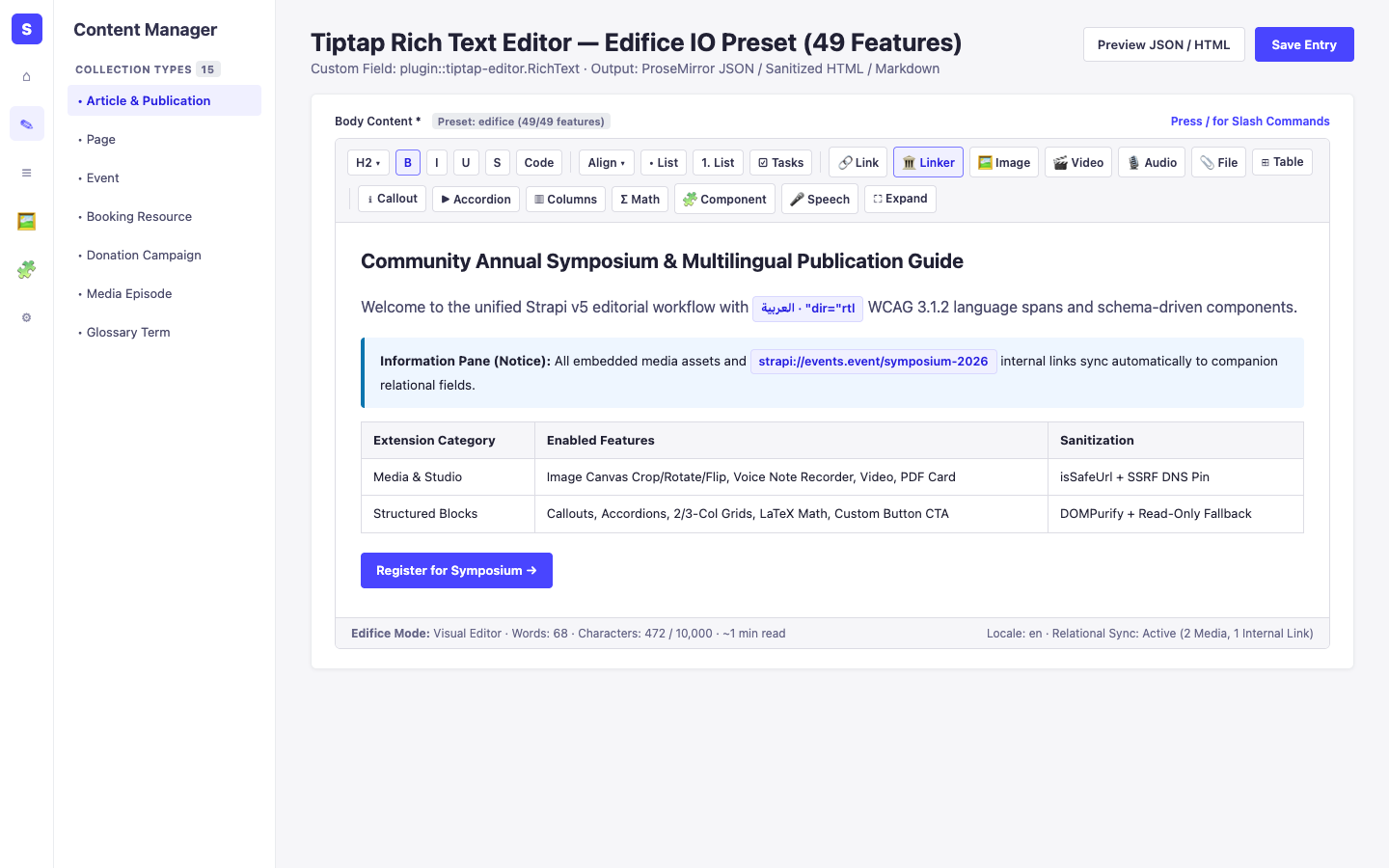
1. Temel Yetenekler ve Mimari Özellikler
Section titled “1. Temel Yetenekler ve Mimari Özellikler”- İçerik Türü Varlıkları ve Kullanım Senaryolarını İnceleyin (Diyagramlarla)
- Geliştirici Kılavuzu ve Admin UI Turunu İnceleyin
- Etkileşimli OpenAPI Referansını İnceleyin
2. İçerik Türü Varlıkları, Konumları ve Şemaları (strapi.documents)
Section titled “2. İçerik Türü Varlıkları, Konumları ve Şemaları (strapi.documents)”Registers the plugin::tiptap-editor.RichText custom field in Content-Type Builder & Content Manager alongside Strapi core-store runtime settings (settings), optional links.links internal reference sync, and companion <FieldName>Media relational media tracking.
Strapi v5 İçinde İçerik Türü Varlıkları Nerede Bulunur?
Section titled “Strapi v5 İçinde İçerik Türü Varlıkları Nerede Bulunur?”- Content Manager Rich-Text Fields:
/admin/content-manager(any Collection Type or Single Type field configured with custom fieldplugin::tiptap-editor.RichText) - Content-Type Builder Preset Selector:
/admin/plugins/content-type-builder(PresetSelect, output formatjson | html | markdown, character limit, and placeholder options) - Global Settings Panel:
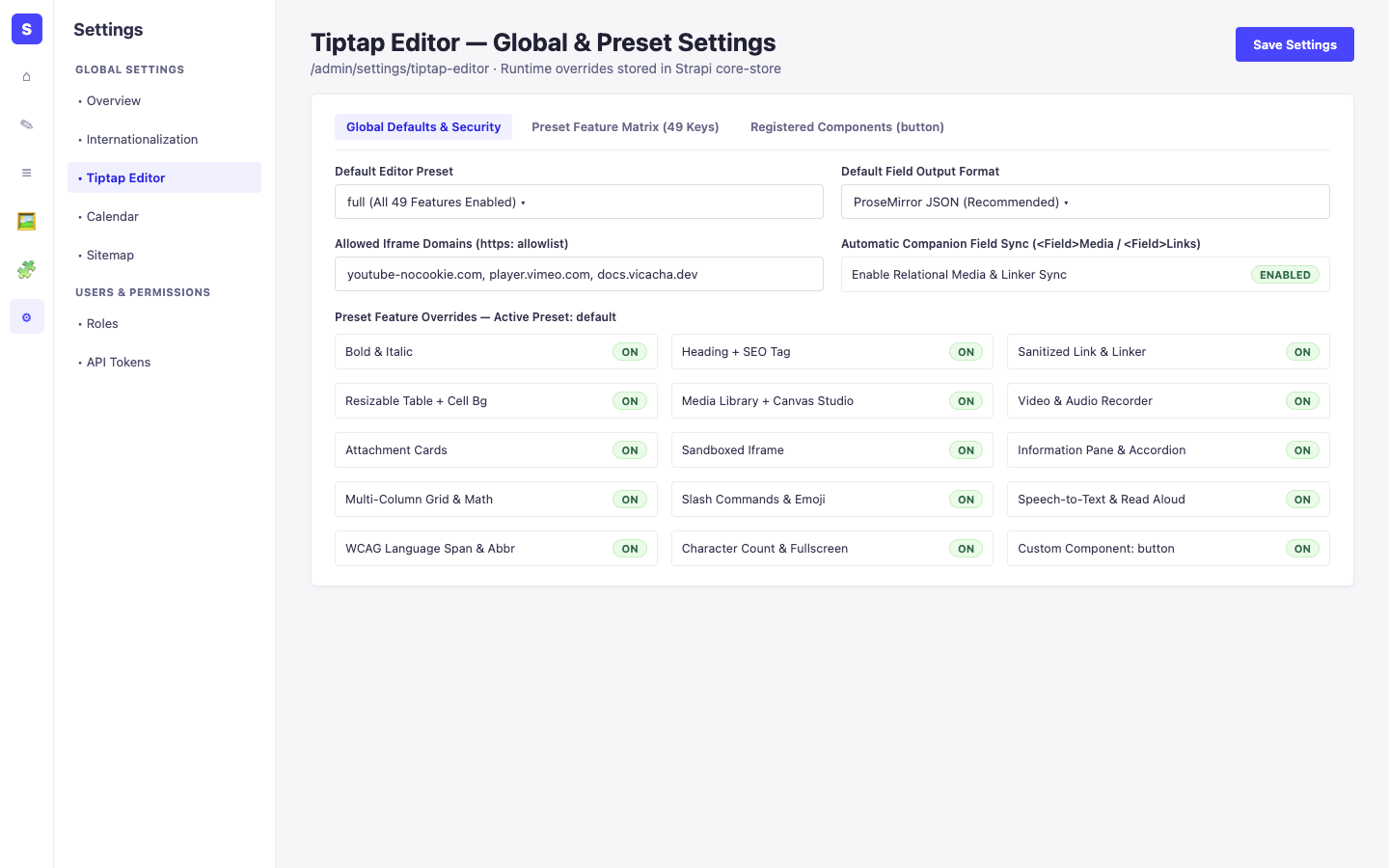
/admin/settings/tiptap-editor(Settings -> Global Settings -> Tiptap Editor— runtime preset overrides, iframe domain allowlist, and relational sync)
Bu eklenti, doğrudan mevcut Strapi içerik türü varlıkları (api::* ve plugin::*) üzerinde çalışır.
Strapi v5 İçerik Yöneticisi (Content Manager) Entegrasyonu (/admin/content-manager)
Section titled “Strapi v5 İçerik Yöneticisi (Content Manager) Entegrasyonu (/admin/content-manager)”İçerik Yöneticisi Kenar Çubuğu Grubu:
Operates Inside Every Content Manager Entry Using plugin::tiptap-editor.RichText
İçerik Yöneticisi Varlıkları ve Bileşenleri
Section titled “İçerik Yöneticisi Varlıkları ve Bileşenleri”- Custom Field
plugin::tiptap-editor.RichText(attached toapi::article.article,api::page.page, or any Collection/Single Type in/admin/content-manager) - Companion
<FieldName>Media&<FieldName>Linksfields automatically synchronized on edit (enableRelationalSync) - Settings Store
plugin::tiptap-editor.settings(core-storemanaged via/admin/settings/tiptap-editor)
Bu Eklenti Neden Content Manager Varlıkları Oluşturur?
Section titled “Bu Eklenti Neden Content Manager Varlıkları Oluşturur?”@vicacha-devs/strapi-plugin-tiptap-editor delivers a WCAG 2.1 AA WYSIWYG editing workspace directly inside Strapi v5 Content Manager edit views via custom field plugin::tiptap-editor.RichText without creating intrusive standalone tables:
- Hybrid Code + Runtime Presets: Fields inherit code-first presets (
minimal,default,full,edifice, or customconfig/plugins.tspresets) and respect live overrides saved at/admin/settings/tiptap-editor. - Automatic Relational Media & Document Linker Sync:
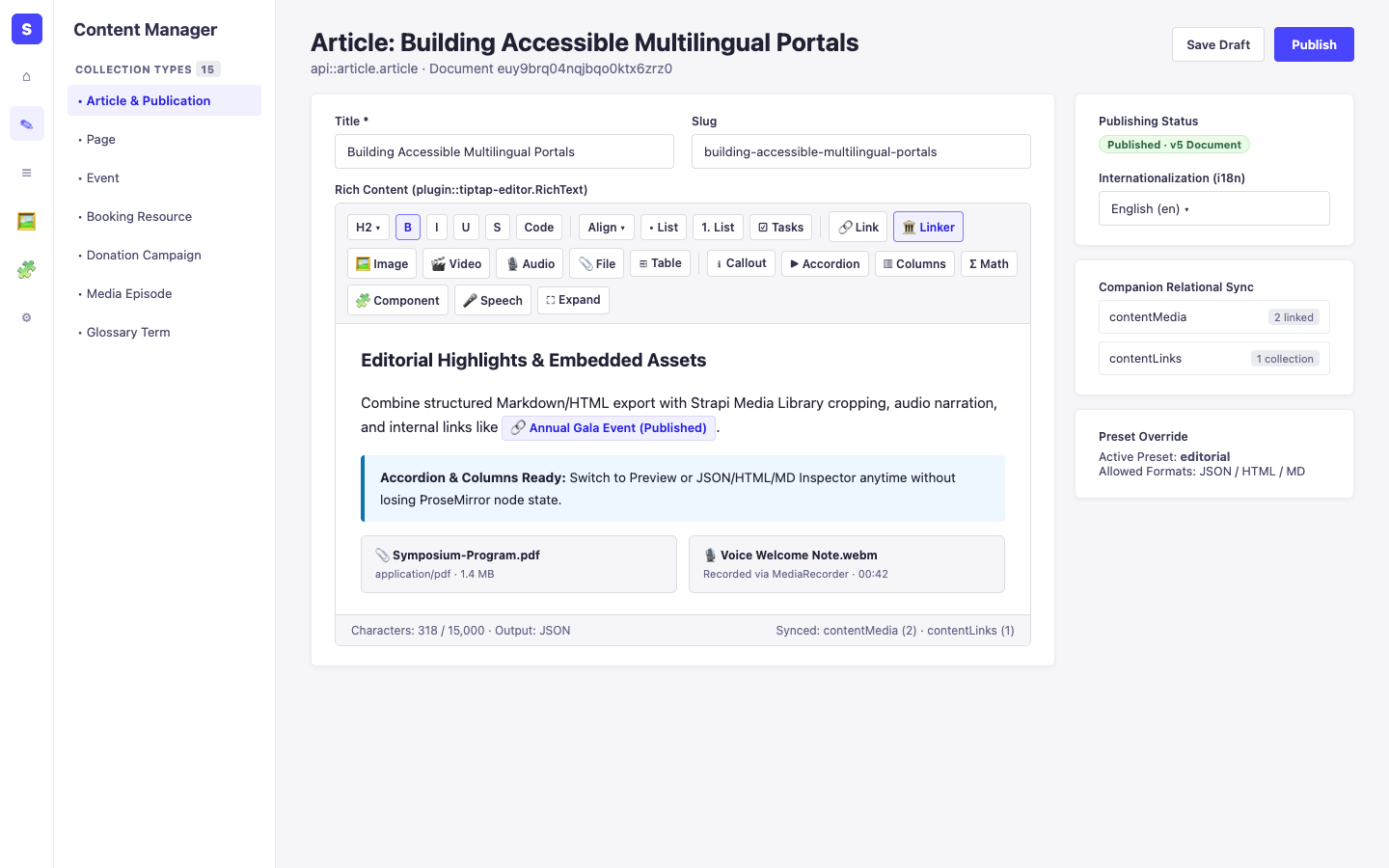
useRelationalSyncextracts embedded Media Library assets (<FieldName>Media) and internallinkerdocument references (<FieldName>Links) as editors type. - Zero-Data-Loss Fallback: Disabling an extension renders existing nodes read-only rather than dropping structured content on publish.
Strapi Content Manager İçinde Nasıl Kullanılır? (Adım Adım)
Section titled “Strapi Content Manager İçinde Nasıl Kullanılır? (Adım Adım)”- Add the Custom Field in Content-Type Builder: Open
/admin/plugins/content-type-builder, add custom field Rich Text (Tiptap) (plugin::tiptap-editor.RichText), and pick a preset and output format (json,html, ormarkdown). - Edit Content in Content Manager: Open
/admin/content-managerfor the entry, format text using the roving toolbar,/slash menu, HTML5 Canvas image studio, voice recorder, or custom components, and click Publish. - Review Global Overrides: Visit
/admin/settings/tiptap-editor(Settings -> Global Settings -> Tiptap Editor) to tune allowed iframe domains and runtime feature toggles.
Content Manager ve Eklenti Çalışma Alanı Senkronizasyonu
Section titled “Content Manager ve Eklenti Çalışma Alanı Senkronizasyonu”Content Manager Kullanım Senaryoları ve Editöryal İş Akışları
Section titled “Content Manager Kullanım Senaryoları ve Editöryal İş Akışları”Content Manager Use Case 1 — Authoring Accessible Multilingual Rich Content & Linked Assets
Section titled “Content Manager Use Case 1 — Authoring Accessible Multilingual Rich Content & Linked Assets”- Amacı ve Neden Kullanıldığı: Compose localized articles in
/admin/content-managerwith WCAGlanguagespans (dir='rtl'|'ltr'), semantic headings, internal document links, cropped images, and automatic relational asset tracking. - Content Manager İçinde Uygulama Adımları: Open an entry in
/admin/content-manager, switch locale via i18n, insert media/links/blocks in theRichTextfield, verify the inspector preview (JSON/HTML/Markdown), and click Publish.
3. Uçtan Uca Kullanım Senaryoları ve İş Akışları
Section titled “3. Uçtan Uca Kullanım Senaryoları ve İş Akışları”Use Case 1 — Configuring Preset-Driven Rich-Text Fields & Output Formats (json, html, markdown)
Section titled “Use Case 1 — Configuring Preset-Driven Rich-Text Fields & Output Formats (json, html, markdown)”- What it is for: Bind fields on
api::article.articleorapi::page.pageto tailored TipTap presets (minimal,default,full,edifice, or custom presets inconfig/plugins.ts) with strict DOMPurify + URL sanitization. - How it works: Assign custom field
plugin::tiptap-editor.RichTextin Content-Type Builder (orfieldBindingsin config), choose preset & output format, and edit richly in/admin/content-manager.
Use Case 2 — Schema-Driven Custom Components, Multimedia Studio & Slash Commands
Section titled “Use Case 2 — Schema-Driven Custom Components, Multimedia Studio & Slash Commands”- What it is for: Let editors insert
buttonCTA atoms, callouts (informationPane), accordions, multi-column grids, LaTeX math, HTML5 Canvas-cropped images, voice recordings, and/slash commands cleanly. - How it works: Register reusable components via
registerRichTextComponent()or use built-in Edifice IO blocks inside/admin/content-managerwith zero-data-loss fallback for unknown nodes.
Use Case 3 — Runtime Governance, Allowed Iframe Domains & SSRF-Safe Media Ingestion
Section titled “Use Case 3 — Runtime Governance, Allowed Iframe Domains & SSRF-Safe Media Ingestion”- What it is for: Manage global editor defaults, trusted iframe host allowlists, per-preset overrides (
PUT /tiptap-editor/settings), link previews (GET /tiptap-editor/link-preview), and remote uploads (POST /tiptap-editor/upload-by-url) safely. - How it works: Open
/admin/settings/tiptap-editorto toggle runtime overrides and configureallowedIframeDomains; remote URL lookups enforce DNS-pinned SSRF checks (isSsrfSafeUrl).
4. REST API Uç Noktaları (content-api ve admin)
Section titled “4. REST API Uç Noktaları (content-api ve admin)”| Metot | Uç Nokta Yolu | Kapsam | Denetleyici (Handler) | Kimlik Doğrulama |
|---|---|---|---|---|
GET |
/tiptap-editor/presets |
admin |
preset.find |
Bearer JWT |
GET |
/tiptap-editor/presets/{name} |
admin |
preset.findOne |
Bearer JWT |
GET |
/tiptap-editor/theme |
admin |
theme.find |
Bearer JWT |
GET |
/tiptap-editor/settings |
admin |
settings.find |
Bearer JWT |
PUT |
/tiptap-editor/settings |
admin |
settings.update |
Bearer JWT |
GET |
/tiptap-editor/search |
admin |
search.search |
Bearer JWT |
GET |
/tiptap-editor/get/{collectionName}/{documentId} |
admin |
search.getDocument |
Bearer JWT |
GET |
/tiptap-editor/identify/{collectionName} |
admin |
search.identify |
Bearer JWT |
GET |
/tiptap-editor/link-preview |
admin |
media.linkPreview |
Bearer JWT |
POST |
/tiptap-editor/upload-by-url |
admin |
media.uploadByUrl |
Bearer JWT |